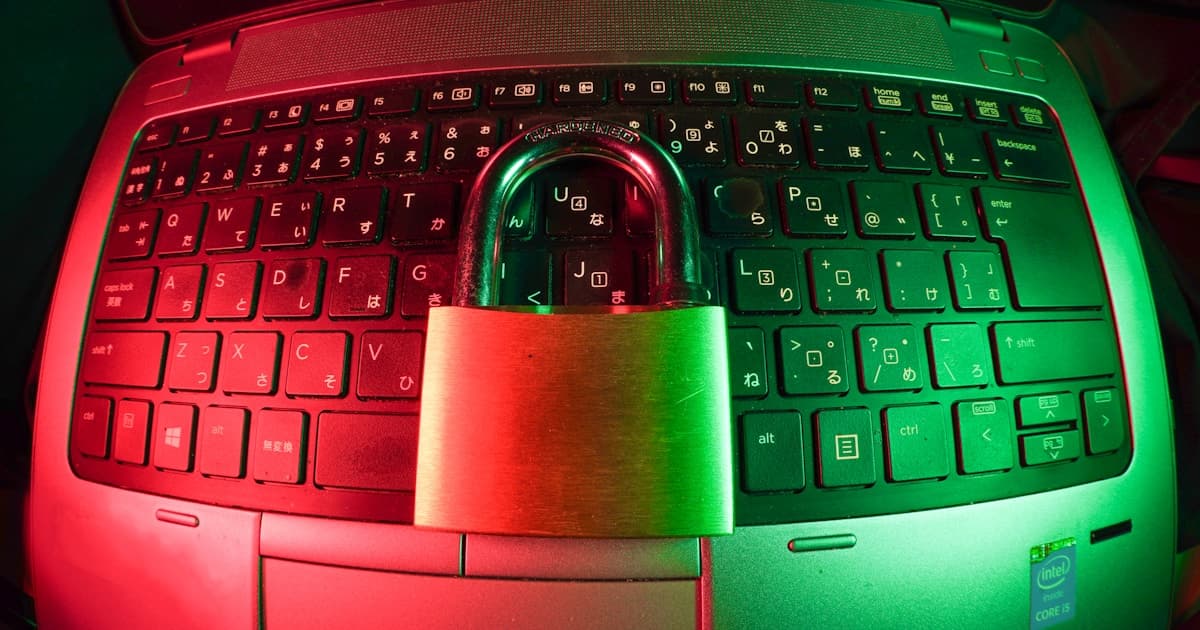
Passwords Are Dead in 2026: Why Every Small Business Needs MFA and Passkeys Now

Why Passwords Fail Your Business
In 2026, over 24 billion stolen username/password combinations circulate on criminal forums and dark web marketplaces. Your staff's passwords — even if they've never been directly hacked — are likely available for purchase alongside credentials from LinkedIn, Facebook, hotel loyalty programs, and hundreds of other breached sites.
This is called credential stuffing: attackers buy stolen credentials and automatically try them against Microsoft 365, Gmail, banking portals, and every other service your business uses. If a staff member reused their Facebook password for their work email, that account is already compromised.
The math is brutal:
- 8-character passwords: cracked in under 1 hour with modern AI tools
- 12-character random passwords: cracked in days to weeks
- Any password reused from a breached site: cracked in seconds (it's already in a lookup table)
A strong password alone is not enough. Multi-factor authentication (MFA) is the minimum viable security baseline for 2026.
What MFA Actually Does
MFA adds a second verification step after the password. Even if an attacker has the correct password, they cannot log in without the second factor:
| MFA Type | How It Works | Security Level |
|---|---|---|
| SMS / OTP code | 6-digit code sent to phone | Medium (vulnerable to SIM swap) |
| Authenticator app (TOTP) | Time-based code from app | High |
| Push notification | Approve/deny on phone | High (watch for MFA fatigue attacks) |
| Passkey / FIDO2 | Biometric or hardware key | Very High (phishing-resistant) |
For a 15-person business, Microsoft Authenticator or Google Authenticator (authenticator app with push notification) is the practical sweet spot: high security, easy for staff to use, and free.
MFA Fatigue: The 2026 Attack You Need to Know
Attackers have adapted to MFA. One increasingly common technique is MFA push bombing:
- Attacker steals a password
- Initiates a login, triggering an MFA push notification to the victim's phone
- Sends dozens of push notifications at night or during a meeting
- Staff member, confused and frustrated, taps "Approve" to make it stop
- Account is now compromised
Defense: Enable number matching in Microsoft Authenticator (staff must type a number shown on screen into their phone) and additional context (shows which app and location is requesting access). This eliminates push bombing completely.
Passkeys: The Future That's Available Now
Passkeys represent the next evolution beyond MFA — they eliminate passwords entirely:
- No password to steal — a cryptographic key pair is stored on the device, never transmitted
- Phishing-resistant — the key only works for the exact site it was created for
- Faster to use — login with fingerprint, face, or PIN in 2 seconds
- Supported now — Microsoft 365, Google Workspace, and most major services support passkeys in 2026
For small businesses: Windows Hello for Business (fingerprint or PIN to log into Windows, no password) combined with FIDO2 security keys for sensitive systems is now practical and affordable.
Implementing MFA for Your 10–30 Person Team: Step-by-Step
Step 1: Audit What Needs MFA (1 day)
List every system your staff accesses: email, banking, accounting software, CRM, HR system, VPN. These all need MFA.
Step 2: Enable MFA on Microsoft 365 or Google Workspace (2–4 hours)
- For M365: Enable Security Defaults (free, covers all users) or configure Conditional Access (more granular)
- For Google: Go to Admin Console → Security → 2-step verification → Enforce for all users
Step 3: Install Microsoft Authenticator or Google Authenticator (1 hour per user)
Guide each staff member through:
- Install app on their phone
- Scan QR code in account settings
- Confirm with a test login
Typical total time for 15 staff: half a day.
Step 4: Enable Number Matching (30 minutes)
In Microsoft Entra admin center → Authentication methods → Microsoft Authenticator → Enable number matching for all users.
Step 5: Train Staff (30 minutes)
Explain:
- Why MFA exists and why it matters
- How to respond to unexpected push notifications (deny and report to IT immediately)
- What to do if their phone is lost
Step 6: Extend to Other Systems (ongoing)
Enable MFA on banking portals, accounting systems, and any other platform accessed by staff.
The 30-Minute Action That Stops 99.9% of Account Attacks
Microsoft's own research shows: accounts with MFA enabled are 99.9% less likely to be compromised in automated credential attacks.
That's not a small improvement. That's the difference between sleeping soundly and waking up to your entire email history in an attacker's hands.
For a 15-person team, enabling MFA on Microsoft 365 or Google Workspace takes under half a day and costs nothing extra (for Microsoft 365 Business Basic and above, MFA is included).
How Vietify IT Rolls Out MFA for Small Teams
We handle the entire MFA deployment for your team:
| Service | What We Do |
|---|---|
| MFA Assessment | Identify every system that needs MFA across your business |
| M365 / Google Workspace MFA Enabling | Configure Conditional Access and authentication policies |
| Authenticator App Deployment | Guide every staff member through enrollment |
| Security Key Deployment | FIDO2 hardware keys for admin and finance accounts |
| Staff Training Session | 30-minute session explaining MFA and what to watch for |
| Helpdesk Support | Handle account lockouts and phone replacements |
The Only Security Investment With a Guaranteed Return
MFA is the single highest-ROI security investment available to small businesses. The cost is minimal. The protection is dramatic. The implementation is straightforward.
Book a free MFA Health Check with Vietify IT. We'll identify every account in your business that lacks MFA, rank the risks, and show you exactly how to fix it — in a 30-minute call.
Call: 0914 985 772 | vietify.vn/contact
Vietify IT Services — Da Nang's Identity Security Specialists. Protecting Vietnamese businesses one login at a time.
Chia sẻ bài viết
Cần tư vấn IT cho doanh nghiệp?
Vietify IT cung cấp Managed IT từ 4.990.000đ/tháng. Phản hồi trong 30 phút.
Bình luận
Đang tải bình luận…
Để lại bình luận
Cập nhật: 21/8/2026