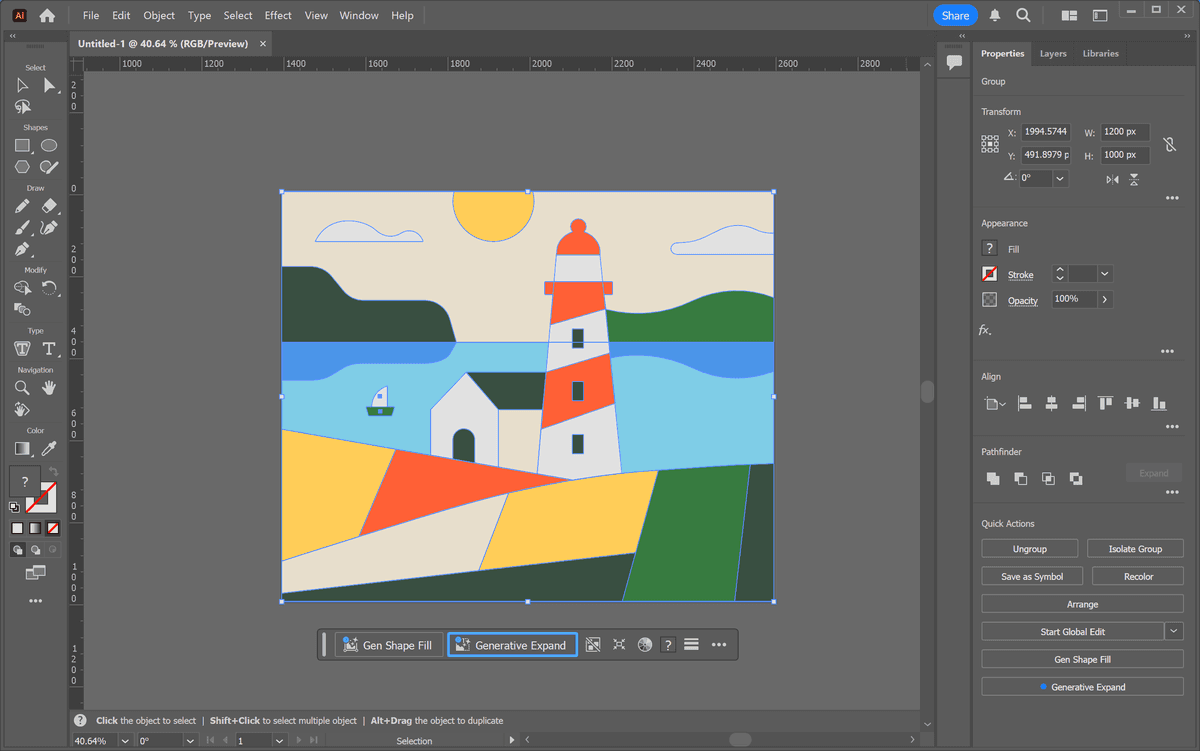
Adobe Creative Cloud in Vietnam
Illustration of creative software licensing, with a focus on safe and practical business implementation.
Licensed Adobe Creative Cloud gives Vietnamese design and marketing teams current software, centralized administration, and a safer route than unverified installers.
Adobe Creative Cloud licensing in Vietnam is a practical business decision, not just a software purchase. A legitimate plan gives a design, marketing, print, or video team current Adobe applications, predictable subscription costs, security updates, and a clear license record. For companies using cracked Adobe software today, the real comparison is not “free versus paid”; it is short-term savings versus operational, security, and compliance risk.
What Is Adobe Creative Cloud?
Adobe Creative Cloud is Adobe’s subscription platform for creative software. Instead of buying a boxed perpetual license once, an organization subscribes monthly or annually and receives current versions of the applications included in its plan.
For a Vietnamese business, Creative Cloud can cover many common workflows:
- Creating campaign images and product visuals in Photoshop
- Designing logos, packaging, and illustrations in Illustrator
- Producing brochures, catalogues, and publications in InDesign
- Editing video in Premiere Pro
- Creating motion graphics in After Effects
- Managing and editing PDFs in Acrobat Pro
- Processing large photo libraries in Lightroom
- Converting and exporting media through Media Encoder
The platform also provides account administration, cloud services, fonts, and collaboration features depending on the plan. These are valuable when several employees need access to the same licensed tools but a business must still control who can install and use them.
Which Adobe Creative Cloud Plan Does a Business Need?
The right plan depends on the number of applications a person genuinely needs, not simply on job title. A sales employee who occasionally opens a PDF has different needs from a video editor who works in Premiere Pro, After Effects, Photoshop, and Audition every day.
| Plan type | Best for | Typical use case | Main advantage | Important limitation |
|---|---|---|---|---|
| Single App | One-tool specialists | A designer using only Illustrator | Lowest cost for one application | Cost rises if several apps are required |
| Photography plan | Photographers and studios | Photoshop plus Lightroom workflows | Good value for photo production | Does not include the wider design/video suite |
| All Apps individual | Freelancers | One person using multiple creative tools | Broad software access | Less appropriate for centralized business administration |
| All Apps for Teams | Companies | Design, marketing, print, and media teams | Central license assignment and business administration | Higher per-user cost |
| Acrobat Pro | Office, legal, finance teams | Editing, signing, OCR, securing PDFs | Focused PDF capability | Not a full design suite |
A useful rule is to compare the total cost of individual apps with an All Apps plan. If an employee regularly needs three or more Adobe applications, the all-applications option can be simpler and more economical than separate subscriptions. Conversely, a small office that only needs professional PDF editing should not automatically buy a complete creative suite.
For software selection help across Adobe and other business applications, see the Vietify software catalogue.
Adobe Creative Cloud Pricing in Vietnam for 2026
Adobe prices may vary by billing cycle, promotion, exchange rate, reseller channel, and whether an organization uses individual or business licensing. The figures below are planning estimates rather than a quotation. Confirm the current price with Adobe or an authorized local reseller before purchase.
| Plan | Typical user | Approximate monthly cost | Approximate annual cost | Notes |
|---|---|---|---|---|
| Single App | Individual specialist | From roughly 450,000 VND | From roughly 5.4 million VND | One core application |
| Photography | Photographer or studio | From roughly 250,000 VND | From roughly 3 million VND | Photoshop and Lightroom bundle |
| Acrobat Pro | Office or legal user | From roughly 350,000 VND | From roughly 4.2 million VND | PDF editing, OCR, protection, signing workflows |
| All Apps individual | Multi-tool freelancer | From roughly 1.3 million VND | From roughly 15.6 million VND | More than 20 applications |
| All Apps for Teams | Business creative user | From roughly 1.8 million VND per user | From roughly 21.6 million VND per user | Admin and team license features |
Annual commitments are often cheaper than paying month by month, but they should be matched to hiring plans. If a company has seasonal creative staff or contractors, a monthly subscription may be more flexible. If a stable team uses Adobe every business day, annual pricing usually makes budgeting easier.
The most useful budget calculation is the total cost of ownership:
- Count employees who actively require an Adobe application.
- List the exact applications each person uses every month.
- Decide whether licenses must be reassigned when employees join or leave.
- Include VAT, support, deployment time, and any training needs.
- Compare an annual commitment with a monthly plan.
A business should also avoid sharing one named-user license across multiple people. Apart from possible terms-of-service issues, it makes audits, access removal, and accountability harder.
Why Business Licensing Is Different From Personal Licensing
A personal subscription is convenient for an individual. A business team needs more than a download link and a password. It needs visibility, access control, continuity when staff changes, and an invoice trail that can be presented during vendor, customer, or compliance review.
With an appropriate business-oriented licensing model, an administrator can generally:
- Assign a license to a new employee
- Remove access when an employee leaves
- Reassign a license rather than buying an unnecessary replacement
- Keep a record of subscriptions and renewals
- Standardize approved versions across the team
- Reduce the risk of someone installing an unknown patched copy
This matters especially for agencies, print companies, architecture firms, schools, and FDI businesses in Vietnam. They often exchange source files with clients, need reliable compatibility, and may be asked to demonstrate that critical software is licensed.
Vietify can help organizations review their broader software inventory through its free IT assessment, including where license ownership and renewal records are unclear.
Why Cracked Adobe Software Is a Business Risk
Cracked software appears inexpensive because the visible subscription cost is zero. The hidden cost can be substantial. A cracked installer is not just an unlicensed copy; it is often a modified executable obtained through an untrusted distribution channel.
Security risk
Patched installers, key generators, and activators can introduce malware, credential stealers, backdoors, or cryptominers. Creative teams often work with customer artwork, product launches, unreleased videos, price sheets, and brand files. A compromised workstation can expose all of that material.
Compliance risk
Adobe and other vendors can verify licenses through product activation and account systems. A company may be asked to provide purchase evidence or correct an unlicensed deployment. For a business, the response can involve unexpected license costs, legal advice, disruption, and reputational damage.
Reliability risk
Cracked software is commonly prevented from updating because the patch depends on an old program version. That creates compatibility problems with files from customers and partners, removes bug fixes, and can cause instability with current operating systems.
Productivity risk
When a cracked application fails before a campaign deadline, the lost production time can cost far more than a legitimate license. Staff may spend hours troubleshooting an installer rather than completing billable work.
| Factor | Cracked installation | Licensed Creative Cloud |
|---|---|---|
| Upfront software payment | Appears free | Predictable subscription |
| Security update access | Often blocked | Regularly available |
| Vendor support | None | Available according to plan |
| File compatibility | Can be unreliable | Current supported versions |
| Audit evidence | No valid purchase trail | Subscription and invoice records |
| Malware exposure | Higher from untrusted installers | Lower when deployed from official sources |
| License administration | Informal and difficult | Centralized for business plans |
For a company that is unsure what is installed, start with the Vietify License Checker rather than guessing. It is better to identify the scope before deciding on a migration budget.
How to Buy Adobe Creative Cloud Safely in Vietnam
There are three sensible procurement routes.
Buy directly from Adobe
Buying through Adobe’s website provides a direct relationship with the publisher and immediate access to the subscription platform. It may be suitable for a freelancer or a company that has an international payment card and internal software administration capability.
Before purchasing, check the billing currency, VAT treatment, renewal conditions, and whether the selected plan is individual or teams-oriented.
Buy from an authorized local reseller
A Vietnamese reseller can be useful when a business needs Vietnamese-language assistance, a VAT invoice, payment in VND, or help choosing between plan types. A reseller should be able to explain the license term, number of named users, support scope, and renewal process in writing.
Work with an IT partner
An IT partner can add value when Creative Cloud is part of a broader software-compliance or endpoint-management project. The partner can help inventory existing installations, plan a phased replacement of unauthorized copies, configure user access, and align the Adobe purchase with Windows, Microsoft 365, PDF, antivirus, and backup needs.
Whichever path you use, retain invoices, order confirmations, subscription records, and assigned-user lists. These records make renewals and future audits much easier.
A Five-Step Deployment Plan for a Small Team
A disciplined deployment prevents the common outcome where a company buys licenses but employees keep using old, unpatched installations.
1. Inventory the current environment
List the people using Adobe applications, their devices, the applications they require, and whether their current installation is licensed. Include laptops used remotely. The IT audit tool can support a broader hardware and software inventory process.
2. Select the minimum suitable plan
Do not assign All Apps to every employee by default. Match the plan to actual work. For example, a five-person agency may need three All Apps licenses, one Photography license, and one Acrobat Pro license.
3. Create an ownership and approval process
Decide who can request software, who approves spend, and who assigns the license. Keep this simple: one manager, one inventory record, and a documented renewal date are enough for many SMEs.
4. Remove unsafe software and install official applications
After backing up active project files, remove cracked copies and any associated activation tools. Install through official Adobe channels. Confirm that each user can sign in, open existing project files, and synchronize the settings they need.
5. Review every quarter
Review active users, unused licenses, upcoming renewals, and software versions. This avoids paying for abandoned accounts and catches unauthorized installations before they become a problem.
Frequently Asked Questions
Can Adobe Creative Cloud be bought once and used forever?
No. Current Creative Cloud products are primarily subscription services billed monthly or annually. Older perpetual Creative Suite licenses are no longer the standard supported purchase route for current applications.
Can one Adobe license be used by several employees?
A named-user license is intended for the assigned user, not for a shared team login. A business should buy the number of licenses that matches its active users and manage assignments centrally.
Is the All Apps plan always the best value?
No. It is usually best for people who need several Adobe applications. A photography team or an office needing only PDF editing can save money with a narrower plan.
Is Adobe Creative Cloud useful for a business with fewer than five people?
Yes, if the business produces design, photo, video, print, or client PDF work. Small teams should buy only the applications they genuinely use and review licenses when staffing changes.
What should we do if some staff currently use cracked Adobe software?
First inventory the situation; do not remove essential software in the middle of a deadline without a migration plan. Then purchase the appropriate licenses, back up project files, remove unauthorized software, install official versions, and document assignments.
Does Creative Cloud include Adobe Acrobat Pro?
Some All Apps plans include Acrobat Pro, but exact inclusions can change. Check the current plan terms before purchase. If PDF work is the only requirement, a separate Acrobat Pro or alternative PDF product may be more economical.
Can Vietify help us choose and deploy Adobe licenses?
Yes. Vietify can help assess installed software, identify business requirements, and plan a compliant rollout. Request a free IT assessment to begin with an inventory and practical recommendation.
Next Step
If your team uses Adobe software but you do not have a complete license record, begin with a software inventory rather than an urgent blanket purchase. Use the Vietify License Checker to identify what is installed, then contact Vietify IT Services for help selecting the right licensed Adobe plan, replacing unsafe installations, and documenting the rollout.
For related support, review our IT services in Da Nang and IT assessment tool. For implementation, contact Vietify or request a free IT assessment.
Vietify IT Services — Trusted IT and licensed-software partner for businesses in Da Nang.
Chia sẻ bài viết
Cần tư vấn IT cho doanh nghiệp?
Vietify IT cung cấp Managed IT từ 4.990.000đ/tháng. Phản hồi trong 30 phút.
Bình luận
Đang tải bình luận…
Để lại bình luận
Cập nhật: 29/8/2026