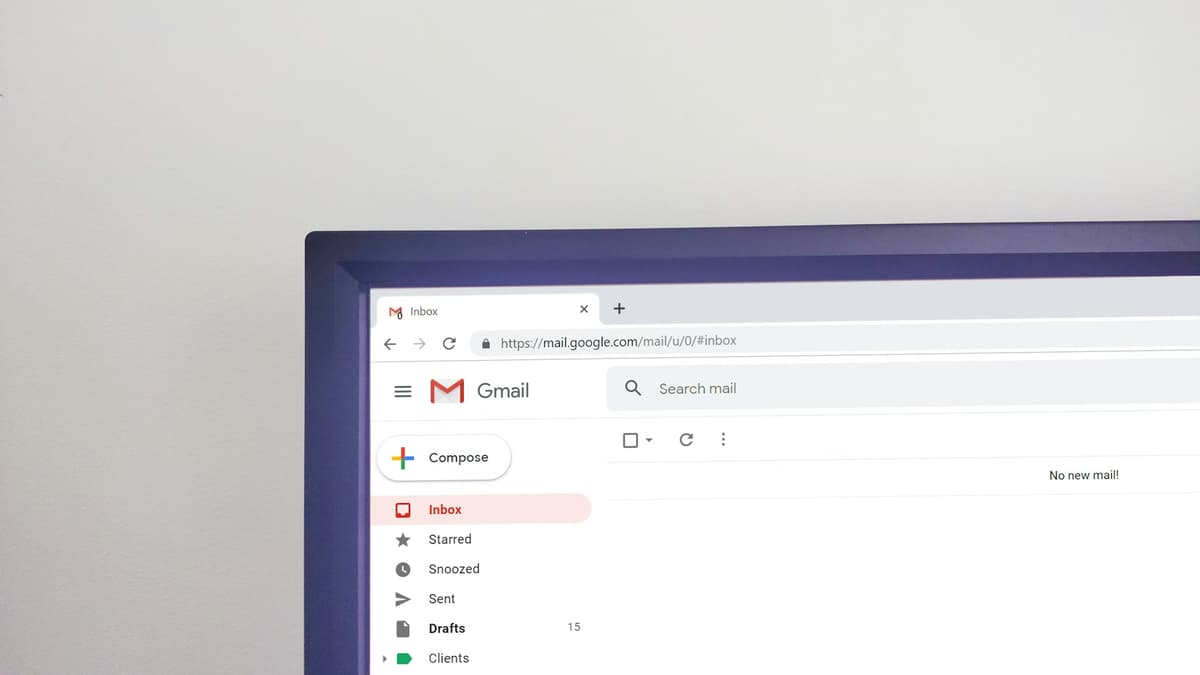
How to Spot a Phishing Email in 10 Seconds (Save Your Business Millions)
Phishing emails are the entry point for 62% of ransomware attacks worldwide
Mark, the director of a construction firm in Da Nang, received an email from "Vietcombank" asking him to confirm a transaction of 850 million VND ($34,000). He clicked the link, entered his banking password, and 30 minutes later his company account was empty. That email was phishing — and he could have spotted it in 10 seconds had he known the 6 signs below.
According to Verizon DBIR 2025, 62% of business ransomware attacks start with phishing emails. More worrying: 91% of employees without security training will click on at least one phishing email per month. For business owners, one wrong click can cost hundreds of thousands of dollars.
Good news: phishing has very obvious signs — you just need to know how to look.
What is a phishing email?
A phishing email is a fake message sent from a "bank", "partner", "government agency", or "vendor" — designed to trick you into clicking a malicious link or providing sensitive information like passwords or account numbers. The end goal: steal money, steal data, or install ransomware on your company systems.
Phishing doesn't require advanced technical skills. Hackers just need to write one email that looks legitimate and send it to 10,000 employees — only 1% click rate is enough.
6 Signs to Spot a Phishing Email in 10 Seconds
Sign 1: Sender email address — check every character
This is the fastest check. Hackers typically create email addresses that differ from the real one by just one character.
Common phishing examples:
| Real email | Fake email |
|---|---|
noreply@paypal.com | noreply@paypa1.com |
support@microsoft.com | support@micros0ft.com |
billing@aws.amazon.com | billing@aws-amazon.com |
info@dhl.com | info@dhl-delivery.com |
5-second check: Click on the sender's name to view the FULL email address (not just the display name). On Gmail, click the down arrow next to the name. On Outlook, hover over the sender's name.
Sign 2: Generic greeting
Real emails from banks/partners will address you by name: "Dear Mr. Johnson". Phishing emails typically use generic greetings:
- "Dear Customer"
- "Dear Account Holder"
- "Dear User"
The reason: hackers send one email to thousands of people, without knowing specific names.
Note: Advanced phishing (called "spear phishing") may have your name — because the hacker has researched you. Don't rely solely on this sign.
Sign 3: Urgency — "within 24 hours"
Phishing emails often contain time-pressuring phrases:
- "Your account will be locked within 24 hours"
- "Verify now or lose access"
- "Urgent transaction requires confirmation"
- "Invoice overdue — pay within 12 hours"
Goal: panic you into clicking without thinking. Rule: banks and government agencies NEVER demand urgent action via email. They will call, send SMS, or mail certified letters.
Sign 4: Link doesn't match displayed text
This is technical but easy to check. Don't click — just HOVER your mouse over the link to see the actual URL.
Example:
Email shows: "Please log in at www.paypal.com"
Actual URL on hover: http://paypal-secure.xyz/login
On mobile: long-press the link to preview the URL before opening.
Pro tip: If you need to log into your bank, NEVER click email links. Open a new browser, type the bank's address directly.
Sign 5: Attachment requests "Enable Macros" or strange extensions
Phishing emails often send Word/Excel/PDF files containing malware. When opened:
- File asks for "Enable Editing" → "Enable Macros" — NEVER click Enable Macros
- Strange file extensions:
.exe,.zip,.iso,.bat,.scr,.vbs - Files with double extensions:
report.pdf.exe(Windows hides.exeby default)
Safety rule: If you're not 100% sure of the sender and reason, DON'T open attachments. Call to confirm first.
Sign 6: Spelling, grammar, and punctuation errors
Phishing is often translated by machine or written by non-native English speakers:
- "Your Account Has Been Locked" (random capitalization)
- "Pleases click here to unlock you account" (typos)
- "Your transactiom was failed" (misspellings)
- Stilted phrasing: "We are urgently requesting your immediate response"
Real emails from banks/major partners are heavily edited. Spelling errors are a strong red flag.
10-Second Checklist
When receiving a suspicious email, check these 6 points:
| # | Question | Yes | No |
|---|---|---|---|
| 1 | Is the sender's email exact, character-by-character? | ✅ | ❌ |
| 2 | Does it greet me by my specific name? | ✅ | ❌ |
| 3 | Is the email NOT urgency-creating? | ✅ | ❌ |
| 4 | Does the link point to the correct domain? | ✅ | ❌ |
| 5 | Is the attachment safe (proper extension, no macros)? | ✅ | ❌ |
| 6 | Is the English correct (spelling, grammar)? | ✅ | ❌ |
1 ❌ → suspicious. 2+ ❌ → definitely phishing, delete immediately.
What to Do After Clicking a Phishing Email
Action in the first 30 minutes determines damage scope:
If you entered a password:
- Change the password immediately — not just that account but all accounts using the same password
- Enable 2FA — see 7 Password Rules guide
- Check login history — look for unfamiliar device logins
- Notify IT and colleagues — to prevent spread
If you opened an attachment:
- Disconnect from network immediately — unplug LAN, turn off Wi-Fi
- DON'T turn off the computer — RAM may contain critical investigation info
- Call IT urgently — Vietify hotline 24/7: +84 236 363 5252
- Notify other employees — check if anyone else was attacked
If you transferred money:
- Call the bank immediately to freeze the transaction — hotline on the back of your card
- File a police report — first 12 hours are the golden window for tracing
- Report to your local cybersecurity agency
Lesson from a Real Phishing Case in Da Nang
According to Thanh Nguyen, Founder of Vietify IT Services:
"Last March we handled a phishing case for a 35-employee logistics company in Lien Chieu district. Email impersonating 'Accounting' requested a 1.2 billion VND transfer to a 'Korean supplier'. The CFO followed through because he was familiar with the process. It took 4 weeks of police work to trace 60% of the money. Lesson: any transfer over $4,000 — must be confirmed BY PHONE with the sender, not via email."
3 Company-Wide Phishing Defense Measures
After employees know the 6 signs, businesses need 3 additional technical measures:
1. Enable phishing filter on email server
Microsoft 365 and Google Workspace have built-in Anti-Phishing — typically blocking 95% of phishing emails before reaching inboxes. Admin needs to enable in settings (10 minutes).
2. Periodic employee training — phishing simulations
Once per quarter, send FAKE phishing emails to employees (you send to test). Employee clicks → automatically redirected to training page. After 6 months, click rates drop from 30% to under 5%.
3. Two-step financial confirmation process
Any transaction over $4,000 must be confirmed via 2 channels: email + phone. Any transaction over $20,000 needs paper signature + phone confirmation with the sender.
Vietify helps set up these 3 measures in our IT security package starting from 1.5M VND/month (~$60).
Check Now: Is Your Company Email Secure Enough?
Book a free IT assessment with Vietify — we'll check your entire email setup (SPF, DKIM, DMARC, anti-phishing) in 30 minutes and recommend fixes. PDF report within 24 hours, completely free.
Conclusion
Phishing emails are the #1 entry point for ransomware and corporate data theft worldwide. Good news: 99% of phishing emails can be spotted in 10 seconds with the 6 signs above — just one round of employee training.
Most important action today: forward this article to all employees and require them to read it. This is the highest-ROI free security training available.
Continue reading on this topic:
- 7 Password Rules for Small Business
- Business Computer Virus: 60-Minute Response Procedure
- IT Security Services for Businesses in Da Nang
Vietify IT Services — Professional IT team for SMBs in Da Nang, Vietnam. Last updated: May 2026 | Author: Thanh Nguyen, Founder, Vietify IT Services
Chia sẻ bài viết
Cần tư vấn IT cho doanh nghiệp?
Vietify IT cung cấp Managed IT từ 4.990.000đ/tháng. Phản hồi trong 30 phút.
Bình luận
Đang tải bình luận…
Để lại bình luận
Cập nhật: 22/7/2026